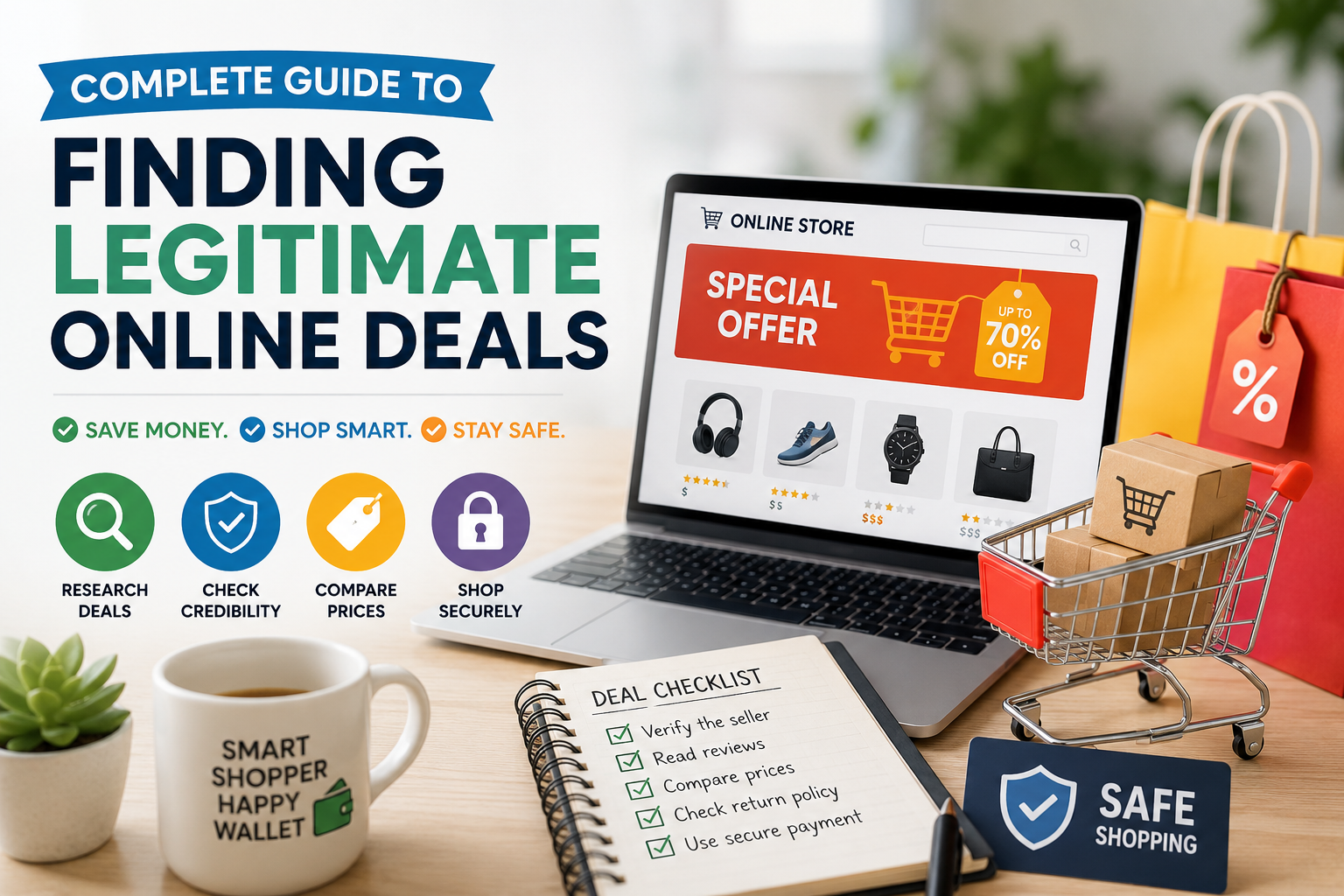
Complete Guide to Finding Legitimate Online Deals in 2026

Finding a genuinely good deal online used to mean digging through newspaper inserts or waiting for a store’s seasonal sale calendar. Now it means scrolling past sponsored posts, countdown timers, and “today only” banners that reset every single day. Somewhere in that noise are real discounts worth grabbing, and somewhere else are fake storefronts built to look like them.
This guide walks through how to actually find legitimate online deals in 2026, which tools are worth installing, which ones have lost trust recently, and how to tell a genuine discount from a manufactured one before you hand over your card details. None of this requires becoming a professional bargain hunter. It just requires knowing where to look and what to watch for.
Why Finding Real Online Deals Has Gotten Trickier in 2026
Online shopping fraud has been climbing for years, and the numbers from regulators back that up. According to the Federal Trade Commission, consumers reported losing more than 12.5 billion dollars to fraud in 2024 alone, a roughly 25 percent jump from the year before, with online shopping ranking as the second most commonly reported fraud category. A Pew Research Center survey from April 2025 found that about one in three U.S. adults say they have personally bought something online that either turned out to be counterfeit or never arrived and was never refunded.
A lot of this growth traces back to social media. The FTC’s most recent data spotlight, published in spring 2026, shows that shopping scams were the single most reported type of scam originating on social platforms in 2025, with losses to social media scams overall reaching 2.1 billion dollars, an eightfold increase since 2020. More than 40 percent of people who lost money to a social media scam said they had clicked an ad for something like clothing, makeup, or car parts, only to land on an unfamiliar site or a convincing clone of a well-known brand.
The flip side is that the tools for finding and verifying real deals have also gotten better. Price-tracking extensions, community-verified coupon databases, and cashback platforms have matured to the point where spotting a fake “sale” tag is often just a click away. The trick is using them correctly, and knowing which deal-finding tools still deserve your trust.
How to Tell a Real Deal From a Fake Discount
Scammers have gotten good at copying the visual language of a real sale: slashed-through prices, red “limited time” banners, and stock counters ticking down. The difference usually shows up once you look past the design.
Common Warning Signs of a Fake Discount
- The “original” price seems inflated compared to what the item has actually sold for historically
- A countdown timer resets when you refresh the page or come back the next day
- The website domain looks slightly off from the real brand name, or was registered very recently
- There is intense pressure to act immediately, with little room to think it over
- Customer reviews are either missing, all five-star, or oddly generic
- The only way to pay is by wire transfer, gift card, or cryptocurrency
- You discovered the deal through a social media ad rather than a search or the retailer’s own site
Real Deal vs Fake Deal: A Quick Comparison
| Signal | Likely a Real Deal | Likely a Fake Discount |
|---|---|---|
| Price history | Current price matches or beats the lowest recorded price over the past few months | “Original” price was rarely or never actually charged |
| Website domain | Matches the retailer’s known, established domain | Slightly misspelled, unusual extension, or very new registration |
| Checkout | Standard secure checkout, recognized payment processors | Pushes wire transfer, crypto, or gift cards only |
| Urgency | Sale has a known end date tied to a real event, like Black Friday | Countdown resets or “stock” never actually runs out |
| Reviews | Mixed, specific reviews with detail | Uniformly glowing or strangely vague reviews |
One of the most reliable habits you can build is checking a product’s price history before assuming a discount is real. Tools like Capital One Shopping, Keepa, and CamelCamelCamel (for Amazon specifically) show a price-over-time chart, so you can see whether today’s “sale” price is actually lower than what the item has sold for recently, or whether the retailer just marked up the listed price before discounting it back down.
The Best Browser Extensions for Finding Legitimate Deals in 2026
Coupon and cashback extensions remain one of the easiest ways to find legitimate online deals without doing manual research on every purchase. They work by scanning a database of discount codes, testing them automatically at checkout, and in some cases comparing the same product’s price across other retailers before you buy.
A quick note before the list: one extension worth approaching with extra caution this year is Honey. In late 2025, independent investigations raised concerns that Honey was altering affiliate links in ways that disadvantaged content creators, and by early 2026 Rakuten Advertising had removed Honey from its affiliate network. The extension still functions for basic coupon-finding, but it is worth treating as one option among several rather than a default, and disabling it when you are shopping through a cashback portal you actually want credit from.
Reliable Options to Consider
- Rakuten — A long-running cashback network that activates automatically at participating retailers, with rates that vary by store and sometimes reach into the double digits on top categories. Cashback is typically paid out on a quarterly schedule, and Rakuten often runs a sign-up bonus tied to your first qualifying purchase.
- Capital One Shopping — Free to use even if you have no Capital One account or card. It compares prices for the same item across competing retailers, factors in shipping costs (which a lot of comparison tools skip), tests coupon codes at checkout, and shows price history charts.
- SimplyCodes — Built around community-verified codes rather than a single company’s curated list, with coverage that extends well beyond the big-name retailers into smaller direct-to-consumer brands and niche shops that other extensions tend to miss.
- Karma — Combines coupon testing, price-drop alerts, and cashback at a wide range of retailers in one tool, which can simplify things if you would rather not run three separate extensions.
- Coupert — Another auto-apply coupon and cashback extension with broad retailer coverage; like most tools in this category, treat any specific savings figures in its marketing as estimates rather than guarantees.
Comparing the Top Extensions
| Extension | Best For | Cost | Notable Feature |
|---|---|---|---|
| Rakuten | Guaranteed cashback at major retailers | Free | Automatic cashback activation, quarterly payouts |
| Capital One Shopping | Comparing prices before you buy | Free, no account needed | Price history charts and shipping-inclusive comparisons |
| SimplyCodes | Smaller and niche online stores | Free | Community-verified codes updated continuously |
| Karma | An all-in-one savings tool | Free | Coupons, price alerts, and cashback together |
A few practical tips for using any of these safely: only grant a browser extension the permissions it actually needs (most browsers let you limit access to “on click” rather than “on all sites”), keep extensions updated, and periodically review what is installed in your browser and remove anything you no longer use. Coupon extensions test codes by reading and interacting with checkout pages, so it is worth being selective about which ones you trust with that access.
Top Websites and Apps for Verified Coupons and Discounts
Beyond browser extensions, a handful of dedicated deal sites and apps remain useful for hunting down current discount codes, especially when you would rather browse manually or compare several offers side by side.
- RetailMeNot — One of the longest-standing coupon aggregator sites, covering tens of thousands of stores with codes you can copy and apply at checkout yourself.
- Slickdeals — A community-driven forum where shoppers post and vote on deals in real time, which makes it useful for catching limited-quantity drops and flash sales as they happen.
- CouponTrackin — A coupon and deals platform that regularly reviews and updates offers to help shoppers find current savings. It focuses on featuring verified coupon codes, active promotions, and high-value discounts from a wide range of online retailers, making it easier to discover worthwhile deals in one place.
- CouponCabin — Combines coupon codes with a cashback program, and is known for occasional “double cashback” promotional periods on top retailers.
- Ibotta — Works a bit differently by paying cashback after you submit a receipt, which makes it useful for both online and in-store purchases, including groceries.
- Fetch — Another receipt-scanning app that converts purchases into points redeemable for gift cards, useful as a supplement to coupon hunting rather than a replacement for it.
When you are comparing coupon codes from any of these sources, it helps to remember that success rates vary quite a bit by retailer and season. Independent testing of community-verified coupon databases has shown success rates in roughly the 30 to 80 percent range depending on the platform and the store, so trying more than one code, or more than one source, before giving up on a discount is generally worth the extra minute it takes.
Cashback Apps and Card Rewards: Stacking Savings the Right Way
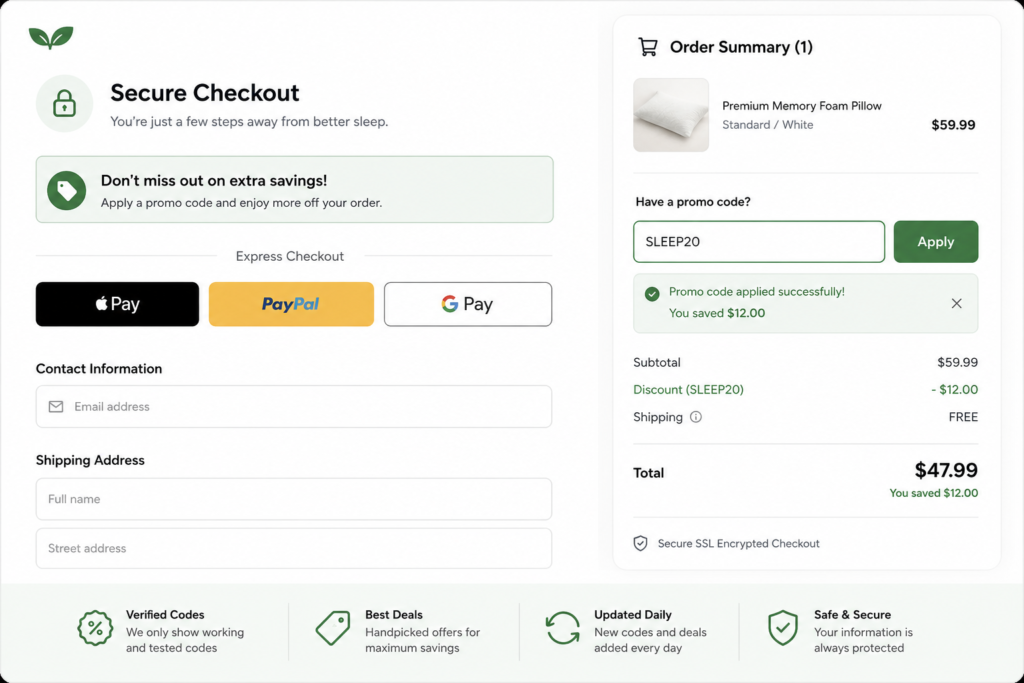
Cashback and coupon tools are not mutually exclusive, and one of the more effective habits experienced deal hunters use is stacking several savings methods on a single purchase. A typical stack might look like this:
- Start your shopping session through a cashback portal like Rakuten so the click is tracked properly
- Apply a verified coupon code from an extension or coupon site at checkout
- Pay with a credit card that offers a relevant rewards category bonus, such as extra points on online retail or a specific store
- Check whether your bank or card issuer has its own separate cashback marketplace, since several major card issuers run these and the offers do not always overlap with retailer-side promotions
A word of caution here: this guide is not offering financial advice, and how much you actually benefit from credit card rewards depends heavily on your own spending habits, your card’s terms, and whether you pay your balance in full each month. Carrying a balance to chase rewards points typically costs far more in interest than the rewards are worth, so stacking savings only makes sense as part of a broader habit of paying on time and in full.
It is also worth double-checking that cashback portals and coupon extensions are not conflicting with one another. Some coupon extensions can inadvertently overwrite the tracking link a cashback portal needs to credit your purchase, which is part of why several of the major guides on this topic now recommend disabling auto-apply coupon tools when you specifically want cashback credited.
Timing Your Purchases: When Deals Are Actually Worth Waiting For
Knowing when to buy matters just as much as knowing where to look. A few patterns have held up fairly consistently:
- Major sales events such as Black Friday, Cyber Monday, and retailer-specific events like Amazon’s Prime Day tend to offer the deepest discounts of the year on electronics, home goods, and apparel, though not every item drops in price during these windows.
- End-of-season clearance on apparel, outdoor gear, and seasonal items typically appears a few weeks before the next season begins, as retailers clear inventory.
- New product launch cycles in electronics often push older generation models to lower prices shortly after a manufacturer announces a successor.
- Tuesday and Wednesday are commonly cited by retail analysts as days when flight and some retail prices are marginally more likely to dip, though this pattern is far less reliable than it used to be and should not be treated as a guarantee.
Rather than relying on guesswork or general “best time to buy” advice, the more dependable approach is using a price-tracking tool directly. Setting a price alert on a specific product through Capital One Shopping, Keepa, or a similar tool means you get notified when the price actually drops, rather than trying to predict when that might happen.
How to Spot and Avoid Online Shopping Scams
Given how much fraud now starts on social media and through cloned storefronts, a bit of due diligence before you buy from an unfamiliar site goes a long way. The FTC’s own guidance, along with the scam data referenced earlier in this guide, points to a few consistent precautions.
Before You Buy From a New or Unfamiliar Store
- Search the company’s name alongside words like “scam,” “complaint,” or “reviews” before entering payment information
- Check how long the domain has existed; a brand-new site with no online history is a meaningful red flag
- Look for a physical business address and a working customer service contact, not just a contact form
- Be skeptical of deals discovered through a social media ad, especially if it leads to a site you have never heard of, since shopping scams were the most reported type of social media scam in 2025
- Pay with a credit card rather than a debit card or bank transfer, since credit cards generally offer stronger dispute protections if something goes wrong
After You’ve Made a Purchase
- Keep order confirmations and any communication with the seller in case you need to dispute a charge
- Watch your card statement for the amount you expect, and flag anything unusual immediately
- If an item never arrives or turns out to be counterfeit, contact your card issuer about a chargeback in addition to contacting the retailer
- Report the incident at ReportFraud.ftc.gov, which helps regulators track patterns across reports
It is worth being realistic about the scale of this problem rather than treating it as a rare edge case. With imposter and shopping-related scams now numbering in the millions of reports annually and billions of dollars in reported losses, a small amount of friction before you buy from an unfamiliar site is a reasonable trade-off, not paranoia.
Protecting Your Personal and Payment Information While Deal Hunting
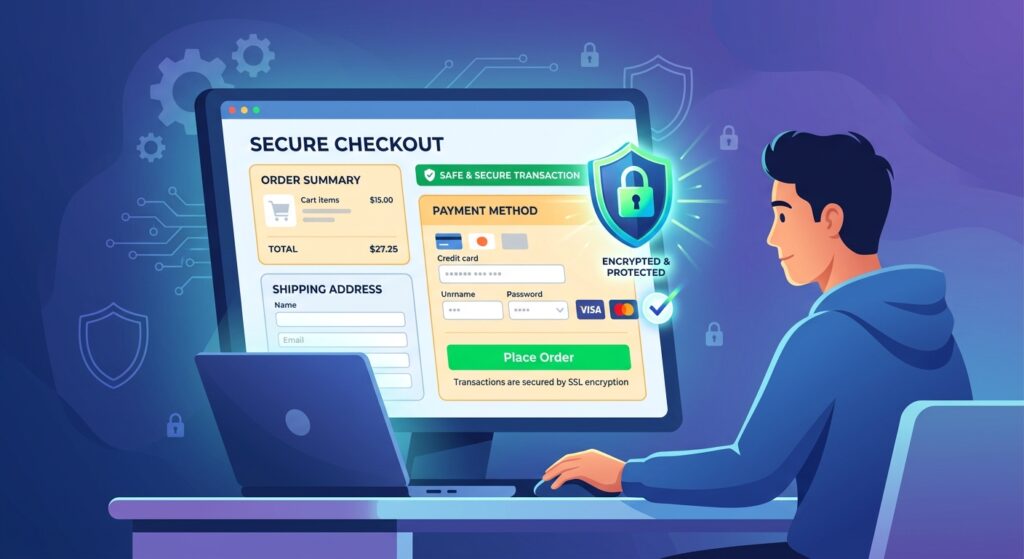
Hunting for deals often means visiting a wider range of websites than you normally would, which makes a few baseline security habits worth maintaining.
- Use a unique password for shopping accounts, ideally managed through a password manager rather than reused across sites
- Enable two-factor authentication on accounts that offer it, particularly for accounts tied to saved payment methods
- Avoid saving full card numbers on sites you do not shop with regularly
- Be cautious about how much personal information a “giveaway” or “exclusive deal” form is actually asking for; legitimate retailers rarely need your full date of birth or social security number to offer a discount
- Keep your browser and any shopping-related extensions updated, since outdated software is more vulnerable to exploitation
None of these steps are about avoiding online shopping altogether. They are about making sure the time you spend finding a good deal does not end up costing you more than the discount was worth.
Common Mistakes That Cost Deal Hunters Money
Even experienced bargain shoppers fall into a few predictable traps. Knowing what they are makes them easier to avoid.
Chasing the Discount Instead of the Total Price
A 40 percent off code on an item with inflated shipping costs or a higher base price than a competitor can still leave you paying more overall. This is exactly why price comparison tools that factor in shipping, like Capital One Shopping, tend to be more useful than simply hunting for the biggest percentage-off code you can find. The number on the coupon matters less than the final total in your cart.
Letting Multiple Extensions Conflict With Each Other
Running several coupon and cashback extensions at once seems like it should multiply your savings, but it often does the opposite. One extension’s auto-apply script can overwrite another’s tracking link right before checkout, which means a cashback portal never gets credited for the purchase it should have tracked. If you want to stack tools, activate them in a deliberate order: start your shopping trip through the cashback portal first, then bring in a coupon extension only at the final checkout step, and disable any extensions you are not actively using for that purchase.
Trusting a Deal Because It Came From an Influencer or Ad
Sponsored content and influencer partnerships are a normal part of online retail, and plenty of them are perfectly legitimate. The issue is that scammers have learned to mimic that same format almost exactly, down to fake testimonials and comment sections designed to look organic. Treat an unfamiliar brand discovered through a social post the same way you would treat a cold email: worth a second look before you trust it with your card number, not an automatic pass.
Ignoring Return and Refund Policies Until After Something Goes Wrong
A deep discount on a non-returnable item carries more risk than the same discount on something you can send back. Before checking out, it’s worth a few extra seconds to confirm the seller’s return window, who covers return shipping, and whether the listing is sold and fulfilled directly by a retailer you recognize or by a third-party seller you do not. Marketplaces in particular can have wildly different policies between their own inventory and items sold by outside vendors using their platform.
Assuming a Lower Price Always Means a Better Deal
Quality and durability matter as much as price for a lot of categories, especially anything you plan to use repeatedly. A heavily discounted version of a product that needs replacing in a few months is not necessarily cheaper in the long run than a fairly priced version that lasts. Price tracking tools are great at confirming a discount is real, but they cannot tell you whether the underlying product is actually worth owning, so pairing a price check with a quick look at independent reviews is usually worth the extra few minutes.
Building a Simple, Repeatable Deal Hunting Routine
Most people who consistently save money online are not spending hours a day hunting for discounts. They have built a short, repeatable routine that runs mostly in the background.
- Install one cashback extension and one price comparison or coupon extension, rather than five overlapping tools
- Set price alerts on the specific items you are actually planning to buy, instead of browsing deal sites speculatively
- Before checking out anywhere unfamiliar, take thirty seconds to search the retailer’s name alongside the word “reviews” or “complaints”
- Let the price history chart, not the marked-down sticker, decide whether something is actually a deal
- Review your installed extensions and saved payment methods every few months, removing anything you no longer use
None of this requires constant attention once it’s set up. The tools are designed to work passively in the background, surfacing a deal or a price drop when it actually happens rather than requiring you to go looking for it every day.
Frequently Asked Questions
Are coupon browser extensions safe to use?
Most established coupon and cashback extensions are generally safe when downloaded directly from the Chrome Web Store, Firefox Add-ons, or a similar official source, and when you review what permissions they request. That said, no extension is risk-free, and it is worth limiting site access where your browser allows it and periodically auditing which extensions you actually still use.
Is Honey still worth using in 2026?
Honey still functions as a basic coupon-testing tool, but its reputation has taken a hit following the affiliate-link controversy that surfaced in late 2025, which led Rakuten Advertising to drop it from its network in January 2026. Many shoppers now treat it as a backup option rather than a primary tool, and pair it (carefully) with alternatives like Capital One Shopping or SimplyCodes.
What’s the most reliable way to find legitimate discount codes?
Stacking a couple of approaches tends to work best: let an auto-apply extension test codes at checkout, cross-check a manual coupon site if the extension comes up empty, and confirm the resulting price actually beats the item’s recent price history before you commit.
How can I tell if an online store is a scam before I order?
Search the store’s name with terms like “scam” or “complaint,” check how recently the domain was registered, look for a verifiable physical address and customer service contact, and be extra cautious with stores you discovered through a social media ad rather than a direct search.
Do cashback apps actually pay out, or is it mostly marketing?
Established cashback platforms like Rakuten and Ibotta have track records of paying users, typically on a set schedule such as quarterly or after a minimum balance is reached. Payout speed and minimums vary by platform, so it is worth checking the specific terms before assuming cashback works the same way everywhere.
When is the best time of year to buy electronics or big-ticket items online?
Major shopping events like Black Friday, Cyber Monday, and Prime Day tend to offer some of the strongest discounts of the year on electronics, though not every product or category drops meaningfully during these windows. Setting a price alert through a tracking tool is generally more reliable than trying to memorize seasonal patterns.
Should I use a debit card or credit card when shopping unfamiliar sites?
Credit cards generally offer stronger fraud and dispute protections than debit cards, which makes them a safer default when you are buying from a retailer you have not used before. This is general guidance rather than financial advice, so it is worth reviewing your own card’s specific terms.
Final Thoughts
Legitimate online deals are still out there, and arguably easier to find than ever once you know which tools to trust. The challenge in 2026 is less about locating a discount and more about confirming it is real before you act on it. A price history check, a quick search for the seller’s reputation, and a coupon or cashback tool with a solid track record will cover most of what you need.
The shoppers who consistently save the most tend to be the ones who treat deal hunting as a habit rather than a one-time effort: a price alert here, a cashback portal there, and a healthy dose of skepticism toward anything that feels rushed or too good to be true. That combination, more than any single app or extension, is what actually keeps both your money and your information safe while you shop.
We write rarely, but only the best content.
